
shinydataviewer provides a reusable Shiny module for viewing tabular data with a searchable table and a variable summary sidebar inspired by the Positron data viewer.
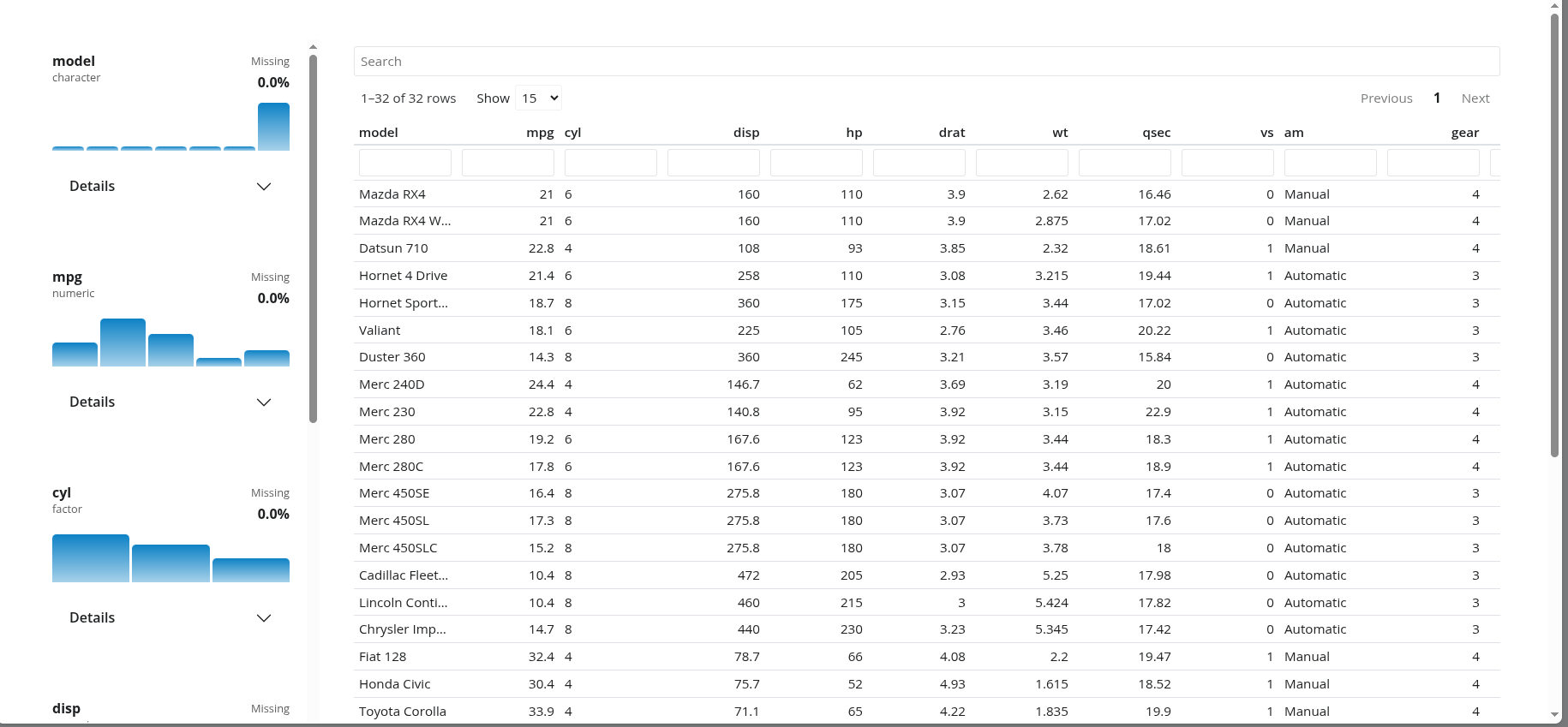
Installation
Install shinydataviewer from CRAN:
install.packages("shinydataviewer")You can install the development version from GitHub:
pak::pak("Ryan-W-Harrison/shinydataviewer")Package interface
shinydataviewer is designed to be used as a reusable Shiny module. The main exported functions are:
data_viewer_ui(id)data_viewer_server(id, data)data_viewer_card_ui(id, title = NULL)summarize_columns(df)
Both UI helpers accept plot_color to customize all variable-summary mini plots in a viewer with any CSS color, such as "var(--bs-success)".
data should be a reactive expression that returns a data.frame. Supported column classes are numeric, integer, character, factor, logical, Date, POSIXct/POSIXt, and hms/difftime.
Minimal module example
Use the module directly when you want the viewer layout to manage its own main table region:
library(shiny)
library(bslib)
library(shinydataviewer)

ui <- page_fillable(
  theme = bs_theme(version = 5),
  data_viewer_ui("viewer")
)

server <- function(input, output, session) {
  data_viewer_server(
    "viewer",
    data = reactive(iris)
  )
}

shinyApp(ui, server)
Embedded card example
Use data_viewer_card_ui() when the viewer needs to live inside a larger dashboard or reporting layout:
library(shiny)
library(bslib)
library(shinydataviewer)

ui <- page_fillable(
  theme = bs_theme(version = 5),
  layout_columns(
    col_widths = c(4, 8),
    card(
      card_header("Context"),
      card_body("Supporting content goes here.")
    ),
    card(
      card_header("Dataset"),
      card_body(
        fill = TRUE,
        data_viewer_card_ui("viewer", title = NULL, full_screen = FALSE)
      )
    )
  )
)

server <- function(input, output, session) {
  data_viewer_server(
    "viewer",
    data = reactive(mtcars)
  )
}

shinyApp(ui, server)
An additional runnable example is included at inst/examples/embedded-card-example.R.
Upload example
The app in inst/examples/upload-dataset/ lets users upload a CSV or RDS file and displays the resulting data frame in a shinydataviewer card. Run it from a package checkout with:
shiny::runApp("inst/examples/upload-dataset")For an installed copy of the package, use:
shiny::runApp(
  system.file("examples/upload-dataset", package = "shinydataviewer")
)
Theming and branding
The viewer styles are attached as a package dependency and use Bootstrap 5 theme variables instead of fixed colors. In practice, that means the module will follow the active bslib theme and should pick up branding supplied through bs_theme() or a brand.yml-driven theme without additional module-specific configuration.
The viewer also follows live Bootstrap color-mode changes made with bslib::input_dark_mode() or bslib::toggle_dark_mode(), including its reactable table and variable-summary sidebar.
ui <- page_fillable(
  theme = bs_theme(
    version = 5,
    brand = "brand.yml"
  ),
  data_viewer_card_ui("viewer")
)
Data summary helper
If you want access to the same summary data used by the module’s variable panel, you can call summarize_columns() directly:
summarize_columns(iris)The returned data frame has one row per input column. Its summary_stats and distribution_data list-columns contain the same precomputed payloads used by the sidebar cards, including compact statistics, histogram bins, and top-level categorical counts.